
How to Convert Video to JPEG
Convert YouTube Video to GIF
How to convert AVI to BMP
How to convert AVI to image
How to convert AVI to jpeg
How to convert DVD to jpeg
How to convert MPEG to jpeg
How to convert video to images
How to convert video to photo
Overview
Getting Started
Detail of Video to Picture Converter
Tech Article
Screenshot
Check Support Formats

Get latest version of Video to Picture Converter.
Video to Picture Converter getting started
View Detail of Video to Picture Converter
For converting your video to pictures, the first thing is to find a proper Video to Picture Converter to help you to do it. The converter must be easy-to-use and cheap.
Aoao Video to picture converter is an easy-to-use video to pictures software. You can capture pictures from video file, and convert video to single picture or seriate pictures.
If you never used the Video to Picture Converter please download it first, free trial without any functional limitations and timeout, but the unregistered version will put words "Unregistered Version" on output file, the license price is $19.90 (30-day money back guarantee). Buy it Now >
Step1: Launch Video to Photo Converter, click  to input a video to software.
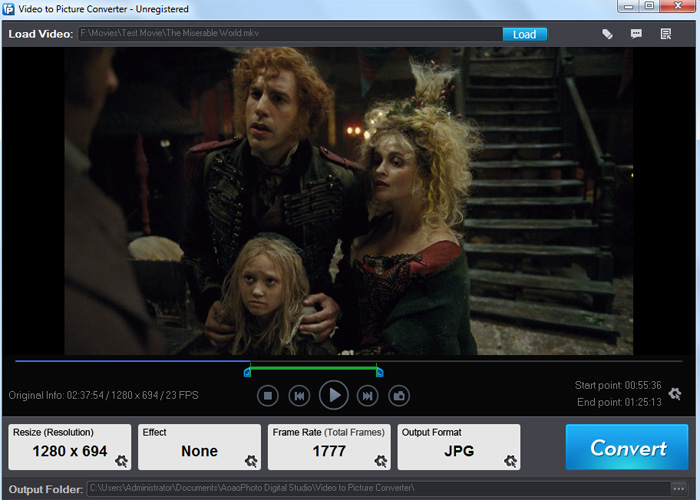
You can click  to play the video, Click
  to get a still picture.
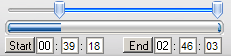
Step2: Drag  to adjust
  to control conversion time, start is start time, End is end time.
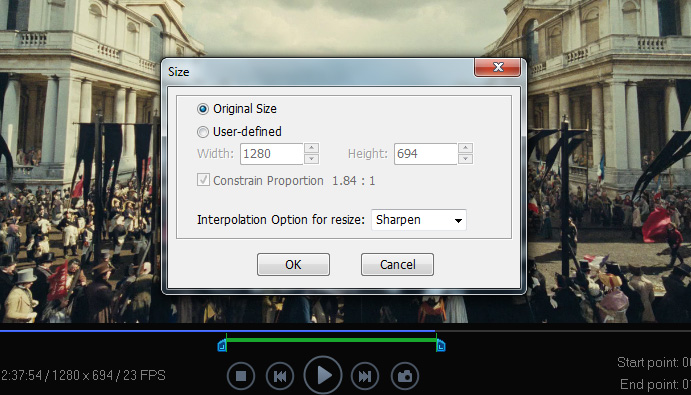
Step3: Set the output Resolution
Step4:
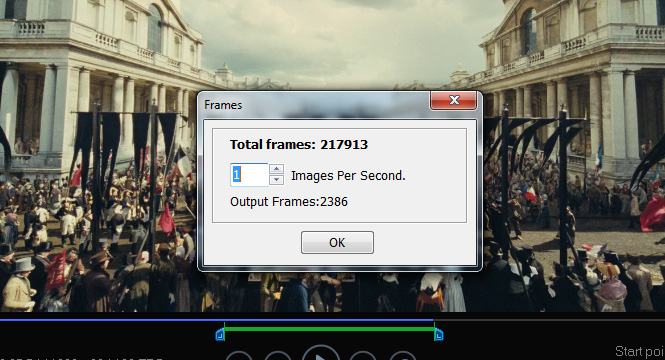
Typing a natural number to adjust output frame rate, such as *** images per a second, you can also see total frames. One Frame=One Image
Step5: Click "Run" button to apply your setting on video to picture .
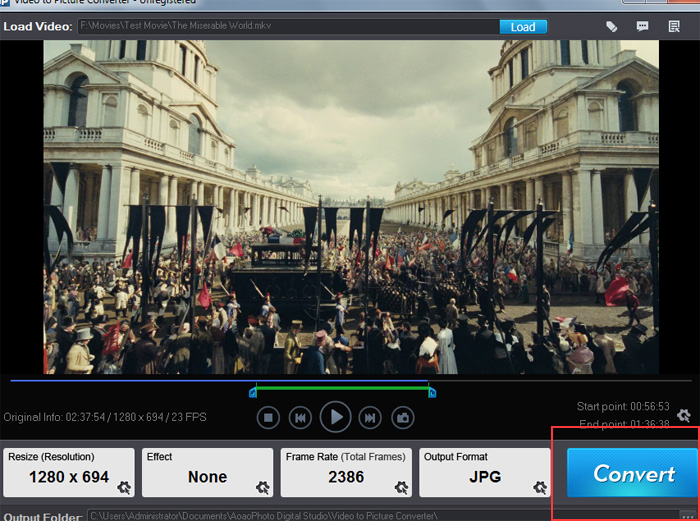
Here you can choose Destination Folder and output image format, Click "RUN" to convert video to images.
The Limitation of Free Trial
1. The unregistered version of Video to Picture Converter will put words "Unregistered verion" on output picture.
2. No expiration.
3. No functional limitation.
Contact Us | License | Privacy | Sitemap
Copyright © 2009-2026 AoaoPhoto Digital Studio. All rights reserved.