
MOV to GIF
How to convert avi to gif
How to convert movie to gif
How to convert mpeg to gif
How to convert video to gif
How to make a gif from a video
How to make a picture video
How to make gif from video
How to make video into gif
AVI to animated gif
AVI to gif
AVI to gif converter
AVI video to gif
Free avi to gif freeware
Movie to gif converter
MPEG to gif converter
Turn video into picture
Video to gif converter
Video to gif maker
Video to animated gif
Overview
Getting Started
Detail of Video to GIF Converter
Tech Article
Screenshot
Check Support Formats

Get latest version of Video to Picture Converter.
Video to GIF Converter getting started
View Detail of Video to GIF Converter
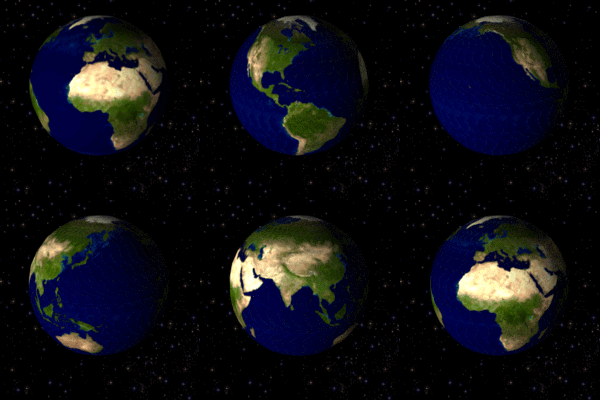
Lately many people talking about photo video, we are understood photo and video, but what is photo video, I think most people never seen.
Actually the photo video is image file, it’s *.GIF format. The GIF format supports up to 8 bits per pixel thus allowing a single image to reference a palette of up to 256 distinct colors. The colors are chosen from the 24-bit RGB color space. It also supports animations and allows a separate palette of 256 colors for each frame. The color limitation makes the GIF format unsuitable for reproducing color photographs and other images with continuous color…
Because GIF support animations, so we can put full of movie into a GIF file, or put a video clip to a GIF file. We can watch a full movie via the GIF file. But GIF also have some shortcomings like 256 distinct colors, can not support sound, etc. So GIF usually used webpage to shows an animation, the film's prediction piece, funny clips, etc. GIF animation can play the video but can not replace the video, GIF is another way to showing video.
If you want to make a photo video, you can do that now, it’s so simple if you have right software. If you have not the software, please keep reading to know how to find this software.
Choose proper photo video software is very important, some important points here:
If the software able to convert video to jpg, bmp, gif, tga, etc, that’s great!
If the software provides some effects on the output photo video, I will like this function.
Beautiful, friendly and easy-to-use interface could bring a nice process. And, it also can save a lot of time for learn.
Good stuff is not cheap, but, nothing is impossible.
Here I recommend Aoao Video to GIF Converter, an simple and quick photo video software, capable of converting all popular formats of video to GIF animation, let you play video in GIF image. It support import video formats includes AVI, MPEG, MP4, MKV, WMV, MOV, 3GP, etc. It can also convert video to other seriate image files such JPG, BMP, TGA, TIFF, PNG, etc.
If you never used Aoao Video to GIF Converter, please download it at: https://www.aoaophoto.com/products/video-to-gif.exe
After the downloading has been completed please install it on your computer. This is a shareware, free trial without functional limitations, but the unregistered version will put words "Unregistered Version" on processed image. The list price is $29.90, now limited discount price is $19.90 few days, please seize the chance to purchase >>
Step1: Launch Video to GIF Converter, input your video which you would like to convert to animated GIF file..
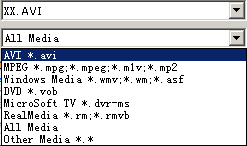
This program support popular video formats for loading like avi, mp4, mpg, wmv ,mov, etc.
In the playback window, you can play, pause, stop, backward, forward, click the "Camera" icon to capture a still gif, jpeg or other image formats.
(See main interface of the video to gif converter as below)
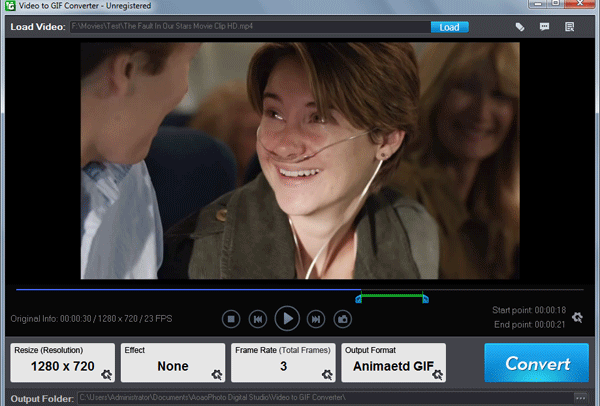
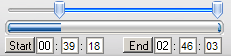
Step2: Adjust part of time for output gif image.
You can drag the small "Bar" or manually type start time and end time, click "Start" and "End" button to apply.
Select time length for output. We suggest the time length less than 5 minutes.
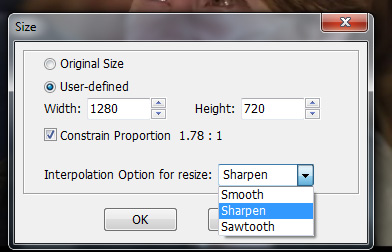
Step3: Choose a existing output size or manually type a size.
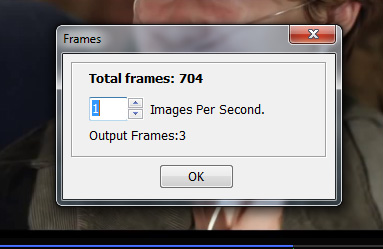
Step4: How many images per sec. setting.
Step5: Click "Run" button to make a photo video.
You will do three things on this step:
1. Set output folder.
2. Adjust parameter about GIF.
3. Click "Run" button to start to output process.

The Limitation of Free Trial
1. The unregistered version of Video to GIF Converter will put words "Unregistered verion" on output picture.
2. No expiration.
3. No functional limitation.
Contact Us | License | Privacy | Sitemap
Copyright © 2009-2024 AoaoPhoto Digital Studio. All rights reserved.