
MOV to GIF
How to convert avi to gif
How to convert movie to gif
How to convert mpeg to gif
How to convert video to gif
How to make a photo video
How to make a picture video
How to make gif from video
How to make video into gif
AVI to animated gif
AVI to gif
AVI to gif converter
AVI video to gif
Free avi to gif freeware
Movie to gif converter
MPEG to gif converter
Turn video into picture
Video to gif converter
Video to gif maker
Video to animated gif
Overview
Getting Started
Detail of Video to GIF Converter
Tech Article
Screenshot
Check Support Formats

Get latest version of Video to Picture Converter.
Video to GIF Converter getting started
View Detail of Video to GIF Converter
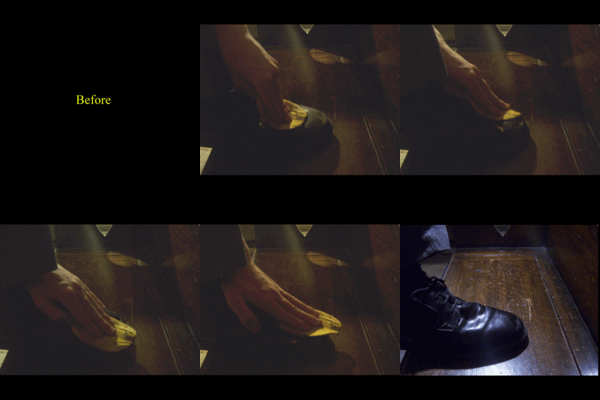
The Graphics Interchange Format (GIF) is a bitmap image format that was introduced by CompuServe in 1987 and has since come into widespread usage on the World Wide Web due to its wide support and portability.
The format supports up to 8 bits per pixel thus allowing a single image to reference a palette of up to 256 distinct colors. The colors are chosen from the 24-bit RGB color space. It also supports animations and allows a separate palette of 256 colors for each frame.
1. GIF can be used to store low-color sprite data for games.
2. GIF can be used for small animations and low-resolution film clips.
3. In view of the general limitation on the GIF image palette to 256 colors, it is not usually used as a format for digital photography.
4. GIF usual used for webpage.
The reasons why we are talking about make a gif from a video, because GIF has video's feature - dynamic picture. That means GIF able to play video frames without any plug-in, such as you can watch a movie on a GIF file, but in most GIF just used for webpage.
Although the GIF file has video feature, but there are some difference between GIF and Video.
1. Video has sound, animated GIF has not.
2. Some formats of video has high resolution and high picture quality, but GIF just 256 colors.
3. Video size larger, GIF size smaller.
4. Usually, GIF used for webpage, video user for movie or family / personal video.
If you never used Aoao Video to GIF Converter, please download it at: https://www.aoaophoto.com/products/video-to-gif.exe
After the downloading has been completed please install it on your computer. This is a shareware, free trial without functional limitations, but the unregistered version will put words "Unregistered Version" on processed image. The list price is $29.90, now limited discount price is $19.90 few days, please seize the chance to purchase >>
Step1: Launch Video to GIF Converter, input your video which you would like make it ot animated GIF file.
This program support popular video formats for loading like avi, mp4, mpg, wmv ,mov, etc.
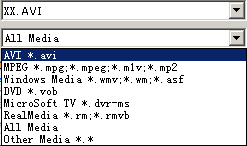
In the playback window, you can play, pause, stop, backward, forward, click the "Camera" icon to capture a still gif, jpeg or other image formats.
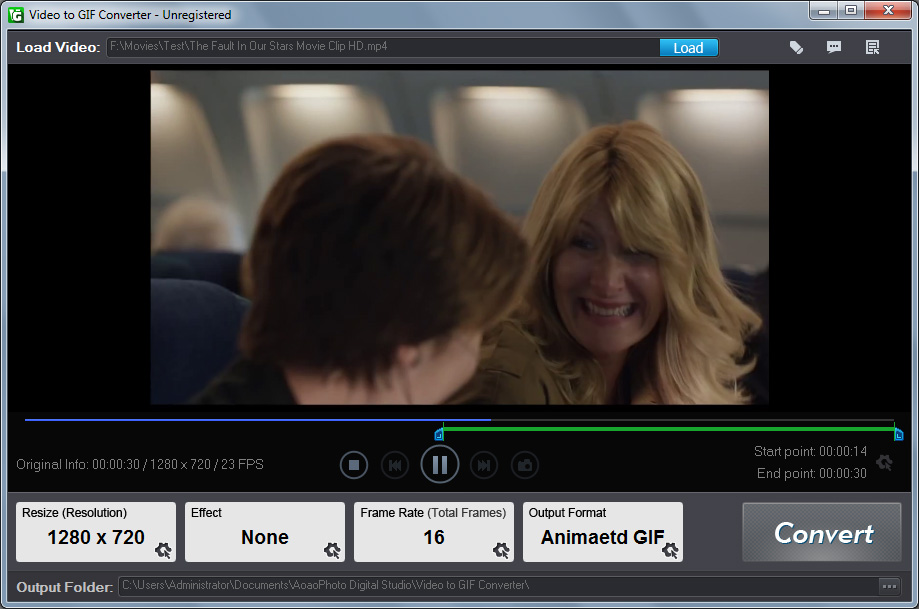
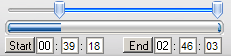
Step2: Adjust part of time for output gif image.
Select time length for output. We suggest the time length less than 5 minutes.
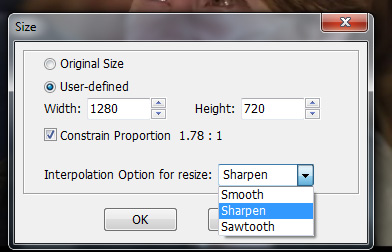
Step3: Choose a existing output size or set output size by enter a value .
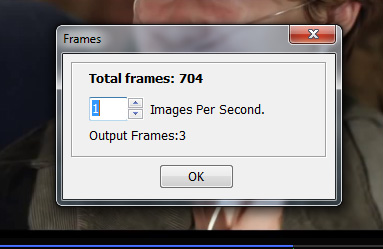
Step4: How many images per sec. setting.
Tip 1: the output rate means how many pictures per second. If you input 5, it is play 5 pictures per second.
Tip 2: usually video’s frame rate is 24, but please do not set the frame rate into GIF file, we suggest 1-5 pictures per second.
Step5: Click "Run" button to make a gif from a video.
Output Setting and start output process.
You will do three things on this step:
1. Set output folder.
2. Adjust parameter about GIF.
3. Click "Run" button to start to output process.

The Limitation of Free Trial
1. The unregistered version of Video to GIF Converter will put words "Unregistered verion" on output picture.
2. No expiration.
3. No functional limitation.
Contact Us | License | Privacy | Sitemap
Copyright © 2009-2026 AoaoPhoto Digital Studio. All rights reserved.