
MOV to GIF
How to convert avi to gif
How to convert movie to gif
How to convert video to gif
How to make a gif from a video
How to make a photo video
How to make a picture video
How to make gif from video
How to make video into gif
AVI to animated gif
AVI to gif
AVI to gif converter
AVI video to gif
Free avi to gif freeware
Movie to gif converter
MPEG to gif converter
Turn video into picture
Video to gif converter
Video to gif maker
Video to animated gif
Overview
Getting Started
Detail of Video to GIF Converter
Tech Article
Screenshot
Check Support Formats

Get latest version of Video to Picture Converter.
Video to GIF Converter getting started
View Detail of Video to GIF Converter
Animated GIF is the fragment of videos. If you have a mpeg video that you would like to make it into a animated gif, you can convert MPEG to animated GIF. Since an animated GIF is not a true video file, and the file relatively small than video, you can upload it to anywhere, like website, mp4,pad, mobile phone, etc.
Video to GIF Converter can capture the selected frames of a video and change them to an animation GIF, or JPEG, BMP, PNG, TGA formats.
If you never used Aoao Video to GIF Converter, please download it at: https://www.aoaophoto.com/products/video-to-gif.exe
Notice: This is a shareware, free trial without functional limitations, but the unregistered version will put words "Unregistered Version" on processed image. The list price is $29.90, now limited discount price is $19.90 few days, please seize the chance to purchase >>
Step1: Launch Video to GIF Converter, click "Load Video" button to load your mpeg file.
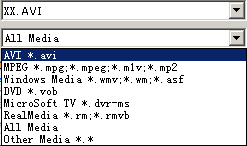
This program support popular video formats for loading like mpg, avi, mp4 , wmv ,mov, etc.
In the playback window, you can play, pause, stop, backward, forward, click the "Camera" icon to capture a still gif, jpeg or other image formats.
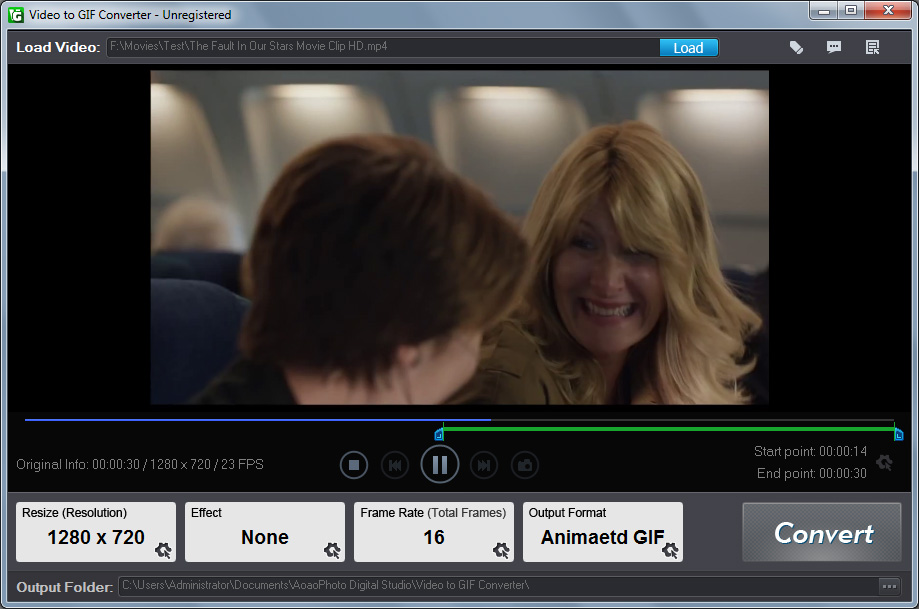
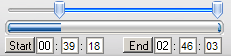
Step2: Adjust part of time for output gif image.
You can drag the small "Bar" or manually type start time and end time, click "Start" and "End" button to apply.
Step3: Choose a existing output size or manually type a size.
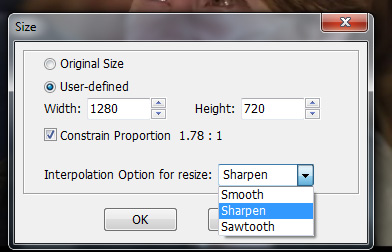
Step4: How many images per sec. setting.
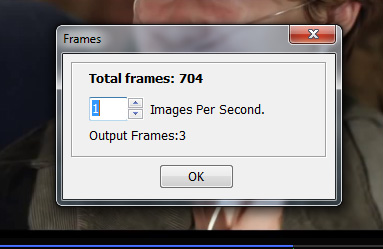
Step5: Click "Run" button to convert mpeg to animated gif.

The Limitation of Free Trial
1. The unregistered version of Video to GIF Converter will put words "Unregistered verion" on output picture.
2. No expiration.
3. No functional limitation.
Contact Us | License | Privacy | Sitemap
Copyright © 2009-2024 AoaoPhoto Digital Studio. All rights reserved.