
SWF to GIF with excellent quality
Convert swf to gif
SWF to gif converter
SWF to image
SWF to jpeg
SWF to png
Get latest version of SWF to Picture Converter.
SWF to Picture Converter getting started
View Detail of SWF to Picture Converter
For convert flash SWF to GIF, you need know what is SWF and GIF. GIF include still GIF and GIF animation. An animated GIF (Graphics Interchange Format) file is a graphic image on a Web page that moves - for example, a twirling icon or a banner with a hand that waves or letters that magically get larger. In particular, an animated GIF is a file in the Graphics Interchange Format specified as GIF that contains within the single file a set of images that are presented in a specified order. An animated GIF can loop endlessly (and it appears as though your document never finishes arriving) or it can present one or a few sequences and then stop the animation. Animated GIFs are frequently used in Web ad banners. Still GIF is a ordinary image format, like other image format JPEG, BMP. The file format SWF (originally standing for Small Web Format, later changed to Shockwave Flash by Macromedia, then again changed back to Small Web Format when the company chose to have the phrase Shockwave only refer to Director, pronounced swiff or swoof) is a partially open repository for multimedia and especially for vector graphics, originated with FutureWave Software and has come under the control of Adobe.
Then, you need a software to help you convert flash SWF to GIF. SWF to GIF Converter application was designed to help you change the file format of flash from flash SWF into GIF. It will be more suitable for transmission, using chat tools to release dynamic picture and any situations which can not use SWF document.
If you are never used Aoao SWF to GIF Converter, please download it at: https://www.aoaophoto.com/products/swf-to-gif.exe. This is shareware list price $29.90, now time limited discount price is $19.90, please seize the chance to purchase full version. Unregistered version will put words "Unregistered version" on output image.
Let us to start convert swf to animated gif.
Step 1: Launch Aoao SWF to GIF Converter, add you swf file by clicking "Open" button.
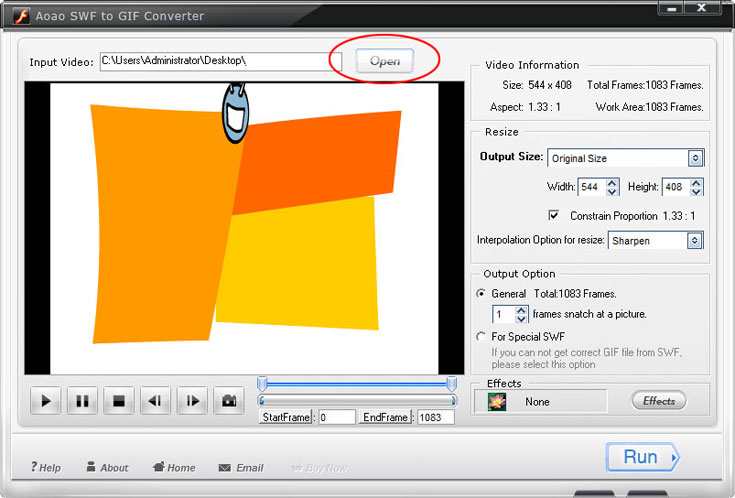
Step 2: With the swf preview window, you can do some actions like Play, Pause, Stop, previous frame, next frame and capture picture.

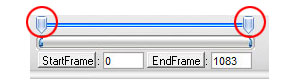
Step 3: Select part of swf which you want to converting to animated gif.
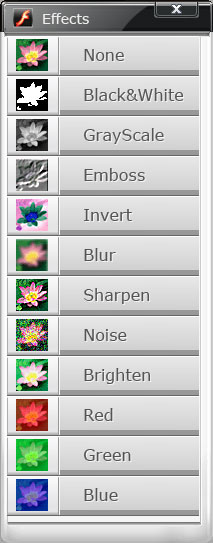
Step 4: Specially good effect available during the swf to gif converting process.
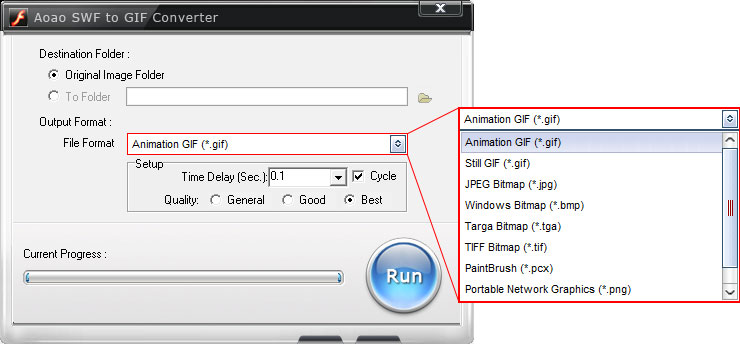
Step 5: Some necessary option on the output interface.
a. Choose a output folder.
b. Choose the animated gif or still gif format for output format.
c. Output image quality setting.
After these parameters has been completed, click "Run" button to start conversion process. This process will take tens of seconds.
The Limitation of Free Trial
1. The unregistered version of SWF to GIF Converter will put words "Unregistered verion" on output picture.
2. No expiration.
3. No functional limitation.
Contact Us | License | Privacy | Sitemap
Copyright © 2009-2024 AoaoPhoto Digital Studio. All rights reserved.